
English Books Reader2.4.5.6 - Get APK
You'll be able to download in few seconds.
Publisher Description
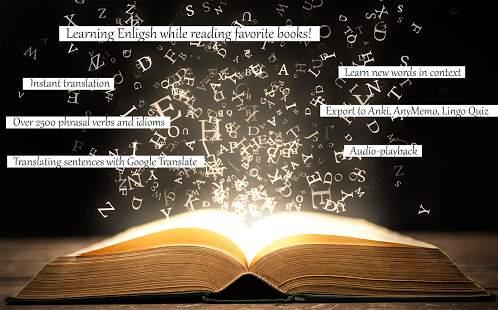
Learning of English language turns into pleasant pastime while reading favorite books.
Supported languages:
GERMAN, RUSSIAN, JAPANESE
.
Main features:
✔ Translation by one touch;
✔ Over 2500 phrasal verbs and English idioms recognized;
✔ Translate full sentences with Google Translate;
✔ Works offline;
✔ "My Memories" list;
✔ Audio playback;
✔ Export words to AnkiDroid, AnyMemo, Lingo Quiz;
✔ Preset books;
✔ Books in EPUB, TXT, FB2, FB2.ZIP formats.
Learn English while reading your favorite books!
(Previously "English Books Reader")
HOW TO USE:
Learn English just reading the book, not looking in the dictionary. The program instantly translates your selected word. If word in the text occurs several times, it is stored by itself. And this is a huge plus and extra when learning English.
SUPPORTS INTEGRATION WITH FOLLOWING APPS:
Google Translate (translator), AnkiDroid (Anki flashcards), AnyMemo (flashcards based on Mnemosyne algorithm), Lingo Quiz (flashcards).
Export to AnkiDroid: Install AnkiDroid, open English Reader, go to menu “My Memories”, select words for export, go to menu “Export to AnkiDroid”.
Export to AnyMemo: Install AnyMemo, open English Reader, go to menu “My Memories”, select words for export, go to menu “Export to AnyMemo”. Words will be saved in file englishreader_to_anymemo.csv. Open AnyMemo, go to “Settings” -> “Import” -> “Import CSV” and import file englishreader_to_anymemo.csv.
Export to Lingo Quiz: Install Lingo Quiz, in English Reader go to menu “My Memories”, select words for export, go to menu “Export to Lingo Quiz”. Words will be saved in englishreader_to_lingoquiz.csv. In Lingo Quiz in “Words” section select words for import, go to “Import“ -> “File” and import file englishreader_to_lingoquiz.csv.
OTHER INFO:
- English Reader does not support export to LinguaLeo, due to LinguaLeo does not provider corresponding API. This feature will be added as soon as required API become available.
- Application uses basic English-Russian, English-German and English-Japanese dictionaries from projects Omegawiki and Wiktionary. Please, add missing translations on their web sites: http://omegawiki.org (recommended) and http://wiktionary.org.
PERMISSIONS:
NETWORK/WI-FI: Depending on language required to install Russian, German or Japanese dictionary, and access to Google Translate.
FILES: Required to access books on device.
Google Play: https://play.google.com/store/apps/details?id=com.mzavadski.enreaderfree
Version without Ads: https://play.google.com/store/apps/details?id=com.mzavadski.enreaderpro
About English Books Reader
The company that develops English Books Reader is Michael Z. The latest version released by its developer is 2.4.5.6.
To install English Books Reader on your Android device, just click the green Continue To App button above to start the installation process. The app is listed on our website since 2016-07-12 and was downloaded 0 times. We have already checked if the download link is safe, however for your own protection we recommend that you scan the downloaded app with your antivirus. Your antivirus may detect the English Books Reader as malware as malware if the download link to com.mzavadski.enreaderfree is broken.
How to install English Books Reader on your Android device:
- Click on the Continue To App button on our website. This will redirect you to Google Play.
- Once the English Books Reader is shown in the Google Play listing of your Android device, you can start its download and installation. Tap on the Install button located below the search bar and to the right of the app icon.
- A pop-up window with the permissions required by English Books Reader will be shown. Click on Accept to continue the process.
- English Books Reader will be downloaded onto your device, displaying a progress. Once the download completes, the installation will start and you'll get a notification after the installation is finished.
Program Details
System requirements
Download information
Pricing
Version History
version 2.4.5.6
posted on 2016-07-12
Bug fixing.
Disclaimer
External Download
We do not host English Books Reader on our servers. We did not scan it for viruses, adware, spyware or other type of malware. This app is hosted by Galad and passed their terms and conditions to be listed there. We recommend caution when installing it.
The APK Download link for English Books Reader is provided to you by apps112.com without any warranties, representations or guarantees of any kind, so access it at your own risk.
If you have questions regarding this particular app contact the publisher directly. For questions about the functionalities of apps112.com contact us.
